When creating an order, the system uses the default payment method. It is determined according to the customer's wishes when connecting to the business delivery service.
The default payment method will be displayed under the "Place an order in one click" button in the cart.
To change the default payment method, you must use the "Place an order" button (to see it, you need to move to the bottom of the page using the scroll bar) and in the "Payment method" section, click "Change payment method":
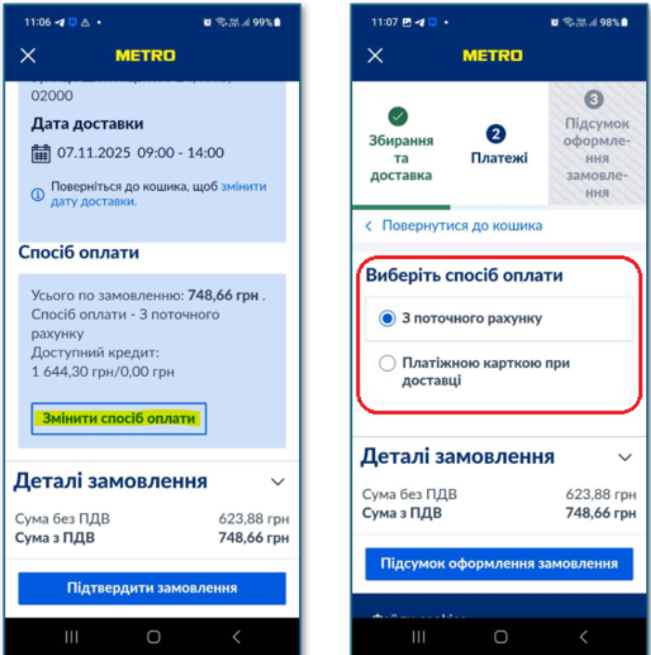
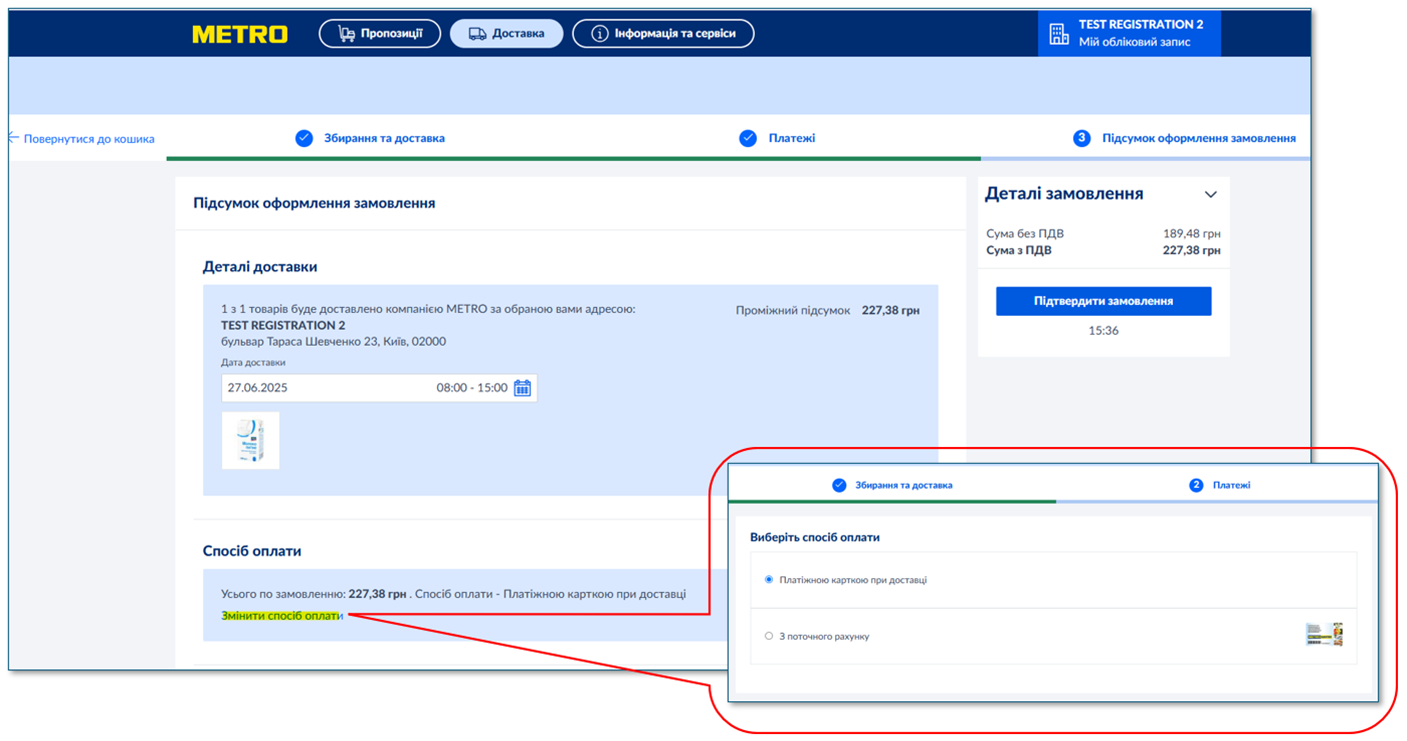
This way you can change the default payment method only for the current order.
If the list of available payment methods is incorrect, something is missing, or there is a need to change the settings (add a payment method, delete, change the default payment method on a permanent basis), please contact your personal manager.
Was this article helpful?
That’s Great!
Thank you for your feedback
Sorry! We couldn't be helpful
Thank you for your feedback
Feedback sent
We appreciate your effort and will try to fix the article