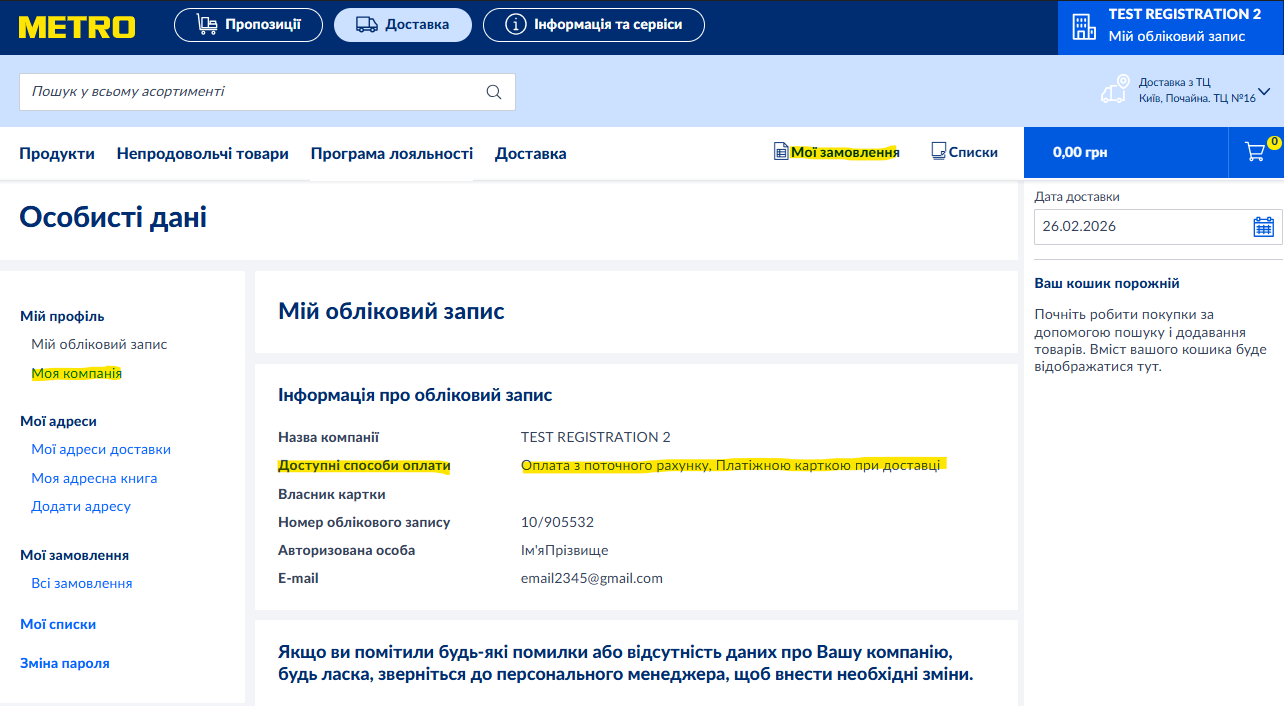
To see the configured payment methods, you need to use the "My Orders" button on the website, which is located in the upper right part of the screen and is available at any stage of creating an order. Then, in the "My Profile" section, you need to select the "My Account" item. Available payment methods will be displayed in the corresponding line. If you are creating an order in the application, the list of payment methods is displayed if you click on the "Change payment method" button, which is available after you select "Checkout" in the cart
Was this article helpful?
That’s Great!
Thank you for your feedback
Sorry! We couldn't be helpful
Thank you for your feedback
Feedback sent
We appreciate your effort and will try to fix the article